If you’ve installed a Ring doorbell at your home, you’ve probably wondered how often you’ll need to charge it. Unlike wired doorbells that draw power directly from your electrical system, battery-powered Ring doorbells rely on rechargeable batteries, and those batteries won’t last forever. Understanding how long a Ring doorbell battery lasts helps you plan maintenance and avoid missing deliveries or security alerts when the unit powers down. Battery life varies depending on your specific model and usage patterns, but knowing what to expect puts you in control.
Table of Contents
ToggleKey Takeaways
- Ring doorbell batteries typically last 6 to 12 months on a full charge, depending on activity levels and environmental conditions.
- Cold weather significantly reduces battery performance—temperatures below 40°F (4°C) can cause drain rates to double, especially in harsh winter climates.
- Motion detection is the largest battery consumer; reducing detection sensitivity, enabling motion snooze, and limiting live-view checks can extend battery life by 2 to 4 months.
- Ring doorbells send notifications when battery drops to around 20%—plan to recharge every 6 to 8 months and avoid waiting for the unit to power down completely.
- Replace the rechargeable battery unit itself every 3 to 5 years for $20 to $40, a far more cost-effective solution than buying a new doorbell.
- Maintain strong Wi-Fi signal strength and keep firmware updated to optimize power efficiency and ensure consistent performance.
Understanding Ring Doorbell Battery Life Expectations
Ring offers several battery-powered doorbell models, and each has different battery capacity and drain rates. The Ring Video Doorbell (2nd Gen) and Ring Video Doorbell (3rd Gen) typically last between 6 to 12 months on a full charge, depending on activity levels. The Ring Battery Doorbell Plus, a newer model, claims similar or slightly extended battery life thanks to improved power management.
These estimates assume moderate activity, around 5 to 10 motion-triggered recordings per day. In practical terms, this means checking your battery level two or three times per year and recharging when the app alerts you that capacity is dropping. Most homeowners find they need a full recharge every 6 to 8 months. Some report needing it more frequently in winter or high-traffic areas, while quieter homes might stretch it closer to a year.
When Ring says “battery life,” they’re talking about how long a single full charge lasts, not how long the battery hardware itself is good for. The rechargeable lithium-ion cells inside your Ring doorbell degrade slightly with each charge cycle, but they’re built to last several years of regular recharging.
Factors That Impact Your Battery Drain Rate
Battery life isn’t one-size-fits-all. Several real-world variables affect how quickly your Ring doorbell drains power.
Temperature and Weather Conditions
Cold weather is the biggest culprit for faster battery drain. Lithium-ion batteries lose efficiency in temperatures below 40°F (4°C), especially if your doorbell is mounted on a north-facing entrance or in a climate with harsh winters. A Ring doorbell in Minnesota or New England might drain twice as fast as one in Florida during winter months. Heat also reduces battery lifespan over time, though it’s less of an immediate concern than cold.
Rain and snow don’t directly drain the battery faster, but they can increase motion events if snow reflects PIR (passive infrared) sensor activity or if rain triggers false alerts. Motion detection is the single largest battery consumer on a Ring doorbell, so environments with frequent false triggers will see noticeably shorter battery life.
Usage Patterns and Activity Levels
Every motion detection event, every video recording, and every live-view access drains your battery. A busy home with multiple doorbell visitors, delivery trucks, and pedestrians passing by will drain the battery much faster than a quiet, low-traffic entrance. If you’re monitoring your doorbell frequently through the app, each live-view stream also consumes power.
Night vision also draws more power than daytime detection. If your doorbell is in a shaded location or you get motion events during darker hours, battery drain increases. Wi-Fi signal strength matters too, a doorbell struggling to maintain connection will use more power trying to stay linked to your network. If your router is far from your front door, you might need to consider wireless range when assessing battery expectations.
Practical Tips to Extend Battery Life
You can’t control the weather, but you can optimize settings and placement to squeeze extra months out of each charge.
Adjust motion detection sensitivity. Ring’s app lets you dial down motion zones or sensitivity levels. If your doorbell is catching every passing car or wind-blown leaf, reduce the detection range or disable zones you don’t need monitored. This single change can extend battery life by 2 to 4 months.
Enable motion snooze or scheduling. You can set quiet hours or specific times when motion alerts are suppressed. If you don’t need notifications at 3 a.m., disabling detection during those hours saves power.
Limit live-view checks. Every time you open the Ring app and view the live feed, the doorbell streams video and drains the battery. Rely on motion alerts instead of constantly checking in. Smart home integrations like doorbell activity automation with home security systems can notify you of events without manual checking.
Place the doorbell in a warmer microclimate. If possible, position your doorbell under an awning or eave that shields it from direct winter wind and cold. Even a few degrees warmer can improve winter performance.
Ensure a strong Wi-Fi signal. A doorbell struggling to connect to your network will drain faster. If signal strength is poor, consider a Wi-Fi extender or mesh system to keep your network strong near the entrance.
Keep the device firmware updated. Ring periodically releases software updates that improve power efficiency. Check the app regularly and install updates when prompted.
When and How to Replace Your Ring Doorbell Battery
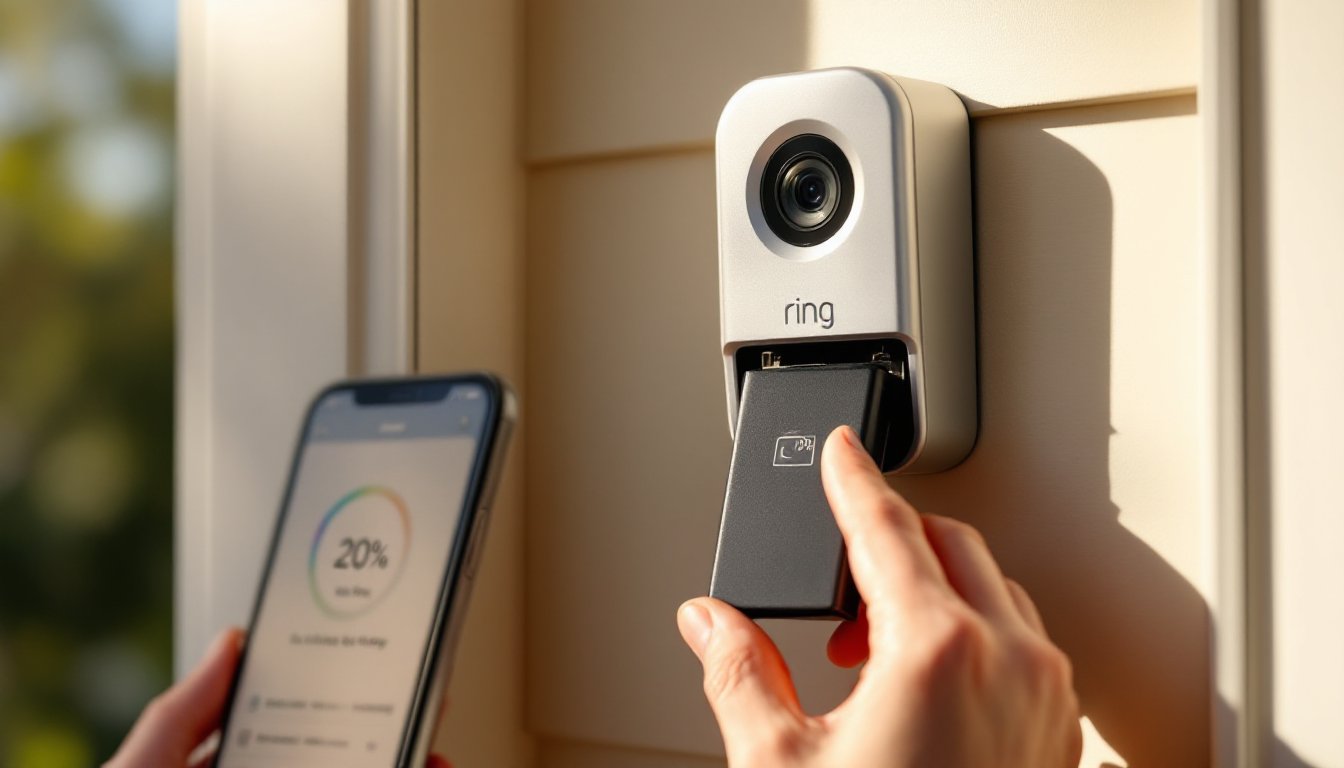
Ring doorbells send you a notification when battery drops to around 20% charge. That’s your cue that recharging is due within the next week or so. Don’t wait until the doorbell powers down completely, once it’s dead, you won’t receive any alerts until it’s charged again.
Removing and charging the battery is straightforward. First, press the small release button or slide the battery out depending on your Ring model. The battery is a removable rechargeable lithium-ion unit, not something permanently installed. Take it inside to a standard USB charger (Ring provides a charging cable or dock depending on the model). Charging typically takes 5 to 10 hours for a full charge. You can keep the doorbell functional during charging if you have a wired backup, though most battery models don’t integrate with existing wiring, so you’ll have a dead doorbell until the battery returns.
Replacement schedule matters. If you’re recharging every 6 months like clockwork, mark your calendar. Set phone reminders when the battery dips to 30% so you don’t scramble at the last minute. For homeowners who travel or spend time away from home, recharge before long absences.
When the rechargeable battery itself stops holding charge adequately (typically after 3 to 5 years of regular charging), Ring sells replacement batteries separately, usually for $20 to $40. This is far cheaper than replacing the entire doorbell. Smart home device reviews often compare battery costs across different video doorbell brands, so you can weigh whether the cost of replacement batteries aligns with your budget.
Conclusion
Ring doorbell batteries typically last 6 to 12 months per charge, with real-world performance depending heavily on temperature, motion activity, and your settings. Cold climates and high-traffic areas will require more frequent recharging, while optimized motion detection and strong Wi-Fi signal can extend that timeframe. Plan to charge every 6 to 8 months for peace of mind, monitor your battery level through the app, and don’t hesitate to replace the battery unit itself when it stops holding charge, it’s a low-cost maintenance task that keeps your security system running smoothly.