Your Roomba is only as good as its battery. A dying battery doesn’t just mean shorter cleaning cycles, it can leave half your home untouched or leave you stranded in the middle of the kitchen. If your robot vacuum isn’t holding a charge like it used to, or if you’re looking to get the most out of your current model, understanding how Roomba batteries work and how to maintain them properly is essential. This guide walks you through battery types, warning signs, maintenance strategies, and straightforward replacement steps so your Roomba keeps running at peak performance.
Table of Contents
ToggleKey Takeaways
- iRobot Roomba batteries are typically lithium-ion with capacities ranging from 2,000 to 5,200 mAh, offering 90–120 minutes of runtime per charge depending on the model.
- Watch for signs of battery degradation like reduced runtime, longer charging times, improper docking, and swelling—most Roombas older than 3–4 years deserve battery evaluation even if performance seems adequate.
- Roomba battery lifespan can be extended from 2–3 years to 4–5 years through proper maintenance: regular use, keeping the dock on level ground, cleaning charging contacts monthly, and avoiding extreme temperatures.
- Replacing a Roomba battery is a simple 5-minute DIY job requiring just a screwdriver; stick with official iRobot replacements ($50–$150) rather than third-party alternatives for reliability.
- Before replacing your Roomba battery, troubleshoot common issues like dirty charging contacts, clogged filters, and dock misalignment—many apparent battery failures are actually preventable with basic maintenance.
Understanding iRobot Roomba Battery Types and Specifications
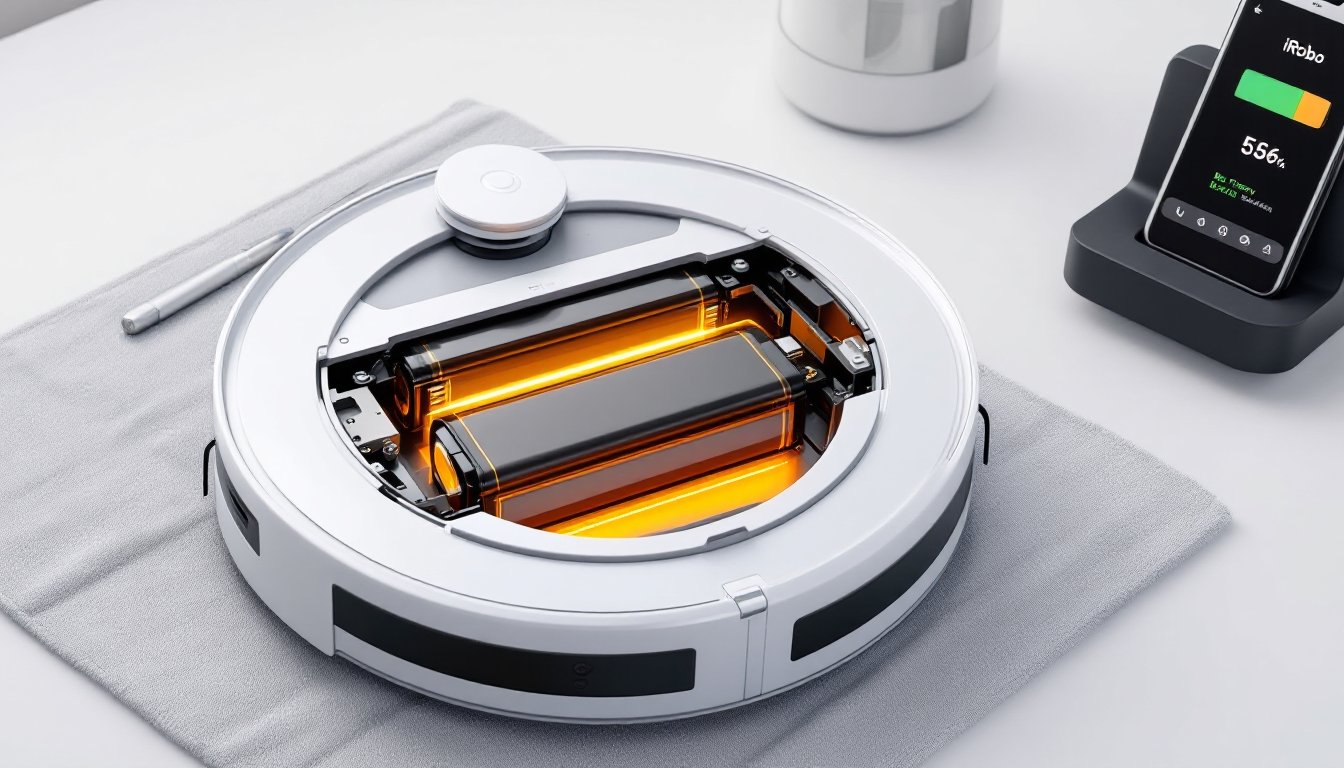
Most modern Roombas use rechargeable lithium-ion batteries, though older models may still run on nickel-metal hydride (NiMH) cells. Knowing which type yours has matters because they charge differently, degrade differently, and need different storage conditions.
Typical Roomba battery capacities range from 2,000 mAh on basic models up to 5,200 mAh on premium units like the j7+ or s9+. That milliamp-hour (mAh) rating tells you how much energy the battery stores, higher mAh means longer runtime, usually between 90 and 120 minutes per charge depending on the model and floor type.
Lithium-Ion vs. Nickel-Metal Hydride Batteries
Lithium-ion batteries dominate modern Roomba units because they’re lighter, charge faster, and hold their charge longer when not in use. They can handle hundreds of charge cycles before capacity drops noticeably, typically rated for 300–500 full cycles before degradation becomes obvious.
Nickel-metal hydride batteries, found in older Roomba models, suffer from memory effect: if you charge them before they’re fully drained, they “remember” the shorter cycle and won’t accept a full charge next time. They also lose charge quickly when sitting idle. If you own a Roomba older than 10 years, you’ve probably dealt with this frustration. NiMH batteries also take longer to charge, often 3–4 hours versus 2–3 hours for lithium-ion.
The takeaway: if you’re replacing an old NiMH battery, upgrading to lithium-ion (if your model supports it) is worth the investment. The battery sits in a compartment on the underside or behind a panel, so check your model’s specs before purchasing a replacement.
Signs Your Roomba Battery Needs Replacement
Roomba batteries don’t fail overnight, they degrade gradually, and catching the signs early keeps you from discovering a dead robot in the middle of a dust bunny minefield. Here’s what to watch for:
Runtime drops significantly. If your Roomba used to clean your whole first floor on one charge and now dies after two rooms, the battery is losing capacity. A battery holding less than 80% of its original capacity usually means replacement is near.
Charging takes much longer than usual. A lithium-ion battery that takes 4–5 hours to charge when it normally charged in 2–3 hours is aging. This doesn’t always signal failure, but it’s a red flag.
The Roomba won’t dock properly or shuts off during cleaning. Battery voltage dropping mid-cycle can cause the robot to lose connection to its dock or power down unexpectedly. It might make it back to the dock on reserve power, but barely.
The battery swells or shows visible damage. This is rare but serious. A swollen lithium-ion battery can overheat and pose a fire risk. If you notice the battery physically bulging, stop using it immediately and replace it.
Age matters too. Even if performance seems fine, lithium-ion batteries in Roombas older than 3–4 years deserve evaluation. They lose about 10–15% capacity per year under normal use.
Most iRobot models include a battery health indicator in the mobile app or on the dock itself. Check there first, it’ll show you exactly how much capacity remains.
How to Extend Your Roomba Battery Life
Proper battery care stretches lifespan from 2–3 years to 4–5 years or more. These habits cost nothing and take almost no time.
Charging Best Practices and Maintenance Tips
Leave the Roomba on the dock when not in use. The dock trickle-charges the battery, keeping it at full capacity without overcharging. Modern Roombas have smart charging circuits that prevent battery damage from continuous docking.
Run regular cleaning cycles. Paradoxically, using your Roomba more often is better for the battery than letting it sit idle for weeks. Regular discharge and recharge cycles keep the chemistry stable. Aim for at least two or three cleaning runs per week.
Avoid extreme temperatures. Lithium-ion batteries degrade faster in heat (above 80°F) and cold (below 32°F) environments. Keep your dock in a climate-controlled area, not a sweltering garage or unheated basement. If you store your Roomba for the winter, keep it indoors at room temperature, ideally with a 50% charge.
Don’t let the battery fully deplete regularly. Completely draining a lithium-ion battery and then recharging it creates stress. Aim to dock your Roomba when it reaches 20–30% capacity, not when it shuts off. The app will alert you when battery is low.
Keep the contacts clean. The metal charging contacts on the Roomba and dock collect dust and hair. Wipe them down monthly with a dry cloth. Dirty contacts cause slow charging and incomplete power transfer, which forces the battery to work harder.
Replace the dustbin filter regularly. A clogged filter forces the motor to work harder, draining the battery faster during each cleaning cycle. Wash or replace your filter every 2–4 weeks depending on use.
These habits won’t prevent eventual battery degradation, that’s physics, but they’ll keep your Roomba running strong for years.
Replacing Your Roomba Battery: A DIY Guide
Replacing a Roomba battery is genuinely one of the easiest repairs you can do. No soldering, no special tools, and no licensing required. Here’s the process:
Step 1: Turn off your Roomba and flip it over. Place it on a clean, soft surface (an old towel works) to avoid scratching the top.
Step 2: Locate the battery compartment. On most models, it’s on the underside. You’ll see a battery cover held by one or two screws (usually Phillips-head). Some newer models have a latch instead, just pull or slide to release.
Step 3: Remove the old battery. Unscrew or unlatch the cover. The battery connector is a simple plastic plug, gently pull it straight out. Don’t twist or force it.
Step 4: Install the new battery. Push the new battery’s connector firmly into the port until it clicks. The connector is keyed, so it only fits one way. Screw the compartment cover back on.
Step 5: Charge fully before first use. Plug your Roomba into the dock and let it charge for 2–3 hours. Most modern batteries ship with about a 20% charge.
Purchasing the right battery matters. iRobot sells official replacement batteries for most models, ranging from $50 to $150 depending on capacity. You’ll find the part number in your model’s manual or on the iRobot website. Third-party batteries exist and cost less, but they vary in quality and longevity, read reviews carefully if you go that route. Stick with official replacements if your Roomba is still under warranty or relatively new.
Disposal: Old lithium-ion batteries shouldn’t go in the trash. Most electronics retailers and hazardous waste facilities accept them for free recycling. Check Earth911.com or your local waste authority for drop-off locations.
The whole job takes about 5 minutes. If you’re uncomfortable with any step, iRobot’s support team offers guides specific to your model.
Troubleshooting Common Roomba Battery Issues
Battery problems aren’t always about age. Here’s how to diagnose and fix common issues before you assume the battery is dead.
Roomba won’t charge at all. First, check the dock’s power connection and make sure it’s plugged in. Inspect the charging contacts on both the Roomba and dock for dirt, debris, or corrosion. Wipe both clean with a dry cloth. If that doesn’t work, try a different outlet to rule out a bad circuit. If the Roomba still won’t charge, the dock might be faulty, not the battery, test with a friend’s dock if possible.
Roomba charges but dies quickly. Before replacing the battery, run a full cleaning cycle and monitor runtime. Clogged filters, full dustbins, and tangled brush hair all slow down the motor and drain the battery faster. Clean everything out. If runtime is still poor after that, the battery likely needs replacement.
Roomba won’t dock correctly or shows battery connection errors in the app. The dock’s charging pins might be misaligned or dirty. Make sure the dock is on a hard, level surface, uneven ground can prevent proper contact. Clean the pins again, and try repositioning the dock.
Battery percentage jumps erratically. This usually means the battery sensor (a small circuit that measures voltage) is miscalibrated. Try a full discharge-recharge cycle: let the Roomba run until it shuts off completely, then dock it for a full 3-hour charge without interruption. This often recalibrates the sensor.
Newest models (2025–2026) may show “battery error” messages. iRobot’s latest Roombas have smart battery diagnostics. If you see an error code, consult your model’s app or manual, the code tells you exactly what’s wrong. Most errors clear after a dock reset: unplug the dock for 30 seconds, then plug it back in.
If none of these steps work, contact iRobot support with your model number and error messages. They can authorize a warranty replacement if your unit is under coverage. Most batteries carry a 1-year manufacturer guarantee, and Roombas themselves usually have 1–2 year warranties depending on the model.
For performance benchmarks and comparisons of different models’ battery specs, best Roomba vacuums of 2026 provide detailed charging times and runtime data. Similarly, top robot vacuums from iRobot break down battery capacity across the lineup, and top Roomba models highlight replacement options for each unit.