Remote learning and hybrid school schedules have made a dedicated kids office chair less of a luxury and more of a necessity. When children spend four to six hours a day sitting at a desk, an ordinary chair won’t cut it. A good kids office chair supports proper posture, keeps them comfortable during long study sessions, and reduces the fidgeting that kills focus. This guide walks you through everything you need to know, from ergonomic features to safety standards to setup tips, so your child’s learning space actually works.
Table of Contents
ToggleKey Takeaways
- A kids office chair prevents poor posture and physical discomfort by matching a child’s proportions, keeping feet flat on the floor and eyes naturally aligned with the desk.
- Look for adjustable seat heights between 16–18 inches (ages 6–10) and 17–19 inches (ages 10–14) with mid-to-upper back support and adjustable armrests to accommodate growth and proper alignment.
- Choose a kids office chair with BIFMA certification, breathable mesh or padded fabric, and a weight limit at least 20 pounds above your child’s current weight for safety and durability.
- Pair your kids office chair with a properly sized desk (28–30 inches for younger children), a footrest if feet dangle, and task lighting to eliminate distractions and create an effective learning environment.
- Check warranty periods and read parent reviews for specific durability concerns like wobbling or broken cylinders rather than focusing on star ratings alone.
Why A Dedicated Kids Office Chair Matters for Remote Learning
A child sitting in an adult office chair or a kitchen stool for hours develops bad habits. Their feet dangle, their back curves forward, and their shoulders hunch, all because the seat height and depth don’t match their frame. Over time, poor posture during assignments sessions can lead to neck strain, headaches, and even lower back discomfort that follows them into adulthood.
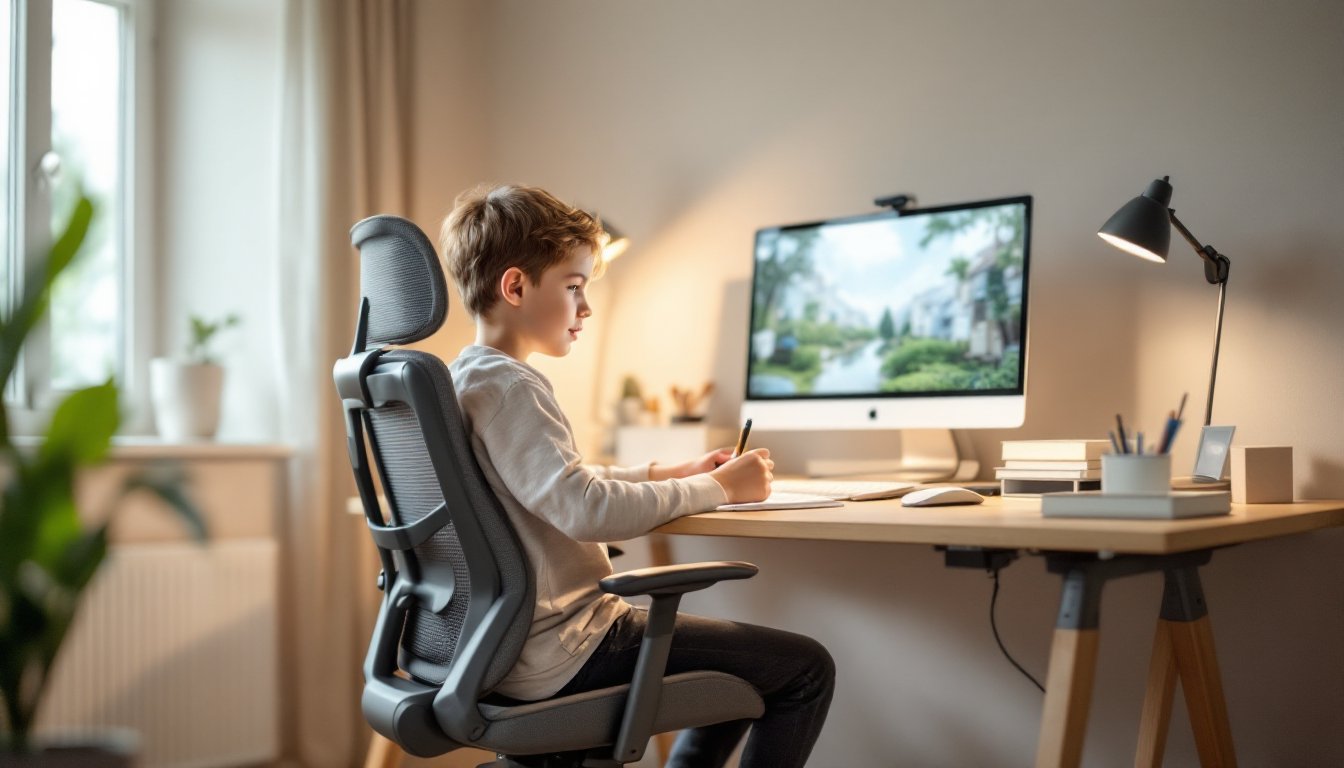
A kids office chair is engineered to match a younger user’s proportions. The seat depth is shallower, the backrest angle is tuned for developing spines, and the height range aligns with typical desk heights that children use. This means their feet rest flat on the floor (or footrest), their thighs are parallel to the ground, and their eyes naturally gaze slightly down at the desk without hunching.
Beyond physical comfort, the right chair removes distractions. When a child’s body is supported properly, they’re not constantly shifting positions or complaining about discomfort. They can focus on math problems or reading instead of fidgeting. A kids office chair signals to the brain that it’s time for serious work, similar to how a standing desk changes your mindset. For remote learners juggling screen time and assignments, that mental boundary matters.
Key Features to Look For in A Quality Kids Office Chair
Adjustability and Ergonomic Support
Look for a kids office chair with a seat height range between 16 and 18 inches (from floor to seat surface) for ages 6–10, and 17–19 inches for ages 10–14. These measurements account for the gap between your child’s age and an adult standard (which sits around 18–20 inches). Verify the range on the spec sheet: a chair that adjusts from 15 to 19 inches gives you years of usability as your child grows.
Backrest height should reach mid-to-upper back without forcing the shoulders up. A 12-16 inch backrest is typical for kids’ models. The lumbar support, that gentle curve in the lower back, prevents slouching during long sessions. Test this by having your child sit upright: there should be a small gap (about one finger width) between the lumbar curve and their lower back, not a crease or excessive space.
Armrests are often overlooked but essential. Adjustable armrests keep elbows at a 90-degree angle when typing or writing, preventing shoulder strain. Some kids chairs have removable armrests, which works if your child’s desk height makes them awkward. Confirm armrest height can be set between 8–10 inches above the seat.
The caster wheels (the rolling base) should have brakes or be designed for stationary use. Kids sometimes push themselves across the room mid-lesson: lockable wheels or a fixed base eliminate that temptation while keeping the chair mobile for household cleaning.
Safety Standards and Durability
Check that the chair meets BIFMA (Business and Institutional Furniture Manufacturers’ Association) standards, which set testing benchmarks for office furniture stability and material safety. The American Academy of Pediatrics doesn’t specify a particular standard for kids chairs, but BIFMA compliance is a reliable third-party verification that the chair won’t tip easily or fail under typical use.
Material matters. Look for mesh backing that breathes (especially important if your child tends to sweat during warm months) or padded fabric on the seat. Avoid chairs with exposed foam that can degrade quickly or cheap vinyl that cracks. Check the frame, aluminum or steel is stronger than plastic for weight-bearing components, though all-plastic bases can work fine for lighter children (under 100 pounds).
Weight limits are printed on spec sheets. Most kids chairs handle 110–180 pounds, which covers most users from age 6 to early teenage years. Choose a model rated for at least 20 pounds above your child’s current weight to build in safety margin.
Warranty and reviews tell you whether a chair lasts. A three-year warranty is solid for a furniture piece that gets daily use. Read parent reviews on retail sites, specific complaints about wobbling, broken cylinders, or peeling upholstery matter more than star ratings. If multiple reviews mention a particular failure, move on. DIY furniture builders often find detailed build guides and assembly tips at Fix This Build That, which can help if you’re considering a semi-assembled or flat-pack option.
How to Set Up A Proper Workspace With Your Kids Office Chair
A great chair only works if the desk and lighting are dialed in. Desk height should sit 28–30 inches above the floor for kids ages 6–10 (slightly higher for older children). When your child sits with feet flat and arms at 90 degrees, the desktop should align roughly with their elbows. If the desk is too high, the chair can’t compensate by going higher: you’ll end up with shoulders hunched. If it’s too low, even the best kids office chair leaves their wrists bent awkwardly. Standard student desks and adjustable desks designed for kids hit this range: adult desks typically run 29–30 inches, which works for kids 12 and up.
Footrests aren’t always necessary if your child’s feet touch the floor flat when seated. But if they dangle more than an inch, a low footrest (4–8 inches high) makes a huge difference in reducing leg swinging and back tension. A simple wooden platform or an adjustable footrest costs $15–$40 and pays for itself in focus.
Position the monitor (if using one for schoolwork) at arm’s length away and slightly below eye level, top of the screen at or just below eye height when looking straight ahead. This angle keeps the neck neutral instead of forcing your child to crane down at a laptop screen. If using a laptop, a monitor stand or riser ($20–$60) can fix this problem without replacing the device. Homedit’s furniture guides include practical desk setup tips that apply well to child workspaces.
Lighting prevents eye strain. A desk lamp with a 40–60 watt equivalent LED bulb (cool white, 4000–5000K color temperature) paired with ambient room light is ideal. Avoid harsh overhead-only setups: they cast shadows on the desk and cause glare on screens.
Finally, the workspace should feel like a place for focus, not play. A small bulletin board for reference materials, a pen holder, and a simple desk organizer keep supplies within reach without clutter. Many DIYers adapt IKEA components, like the TROFAST system paired with a Jules Desk Chair, to create budget-friendly custom workstations that grow with their kids.
Conclusion
A kids office chair is an investment in your child’s posture, comfort, and focus during remote or hybrid learning. Prioritize adjustability, safety certifications, and honest durability reviews over flashy designs. Pair it with a properly sized desk, good lighting, and a footrest if needed. The right setup won’t guarantee straight A’s, but it removes physical distractions and builds a learning environment where your child can actually concentrate, and that’s half the battle.